
Software preference settings
Open Preferences from the gear at the bottom of the left sidebar. Queue, task, and personal options are shown below.
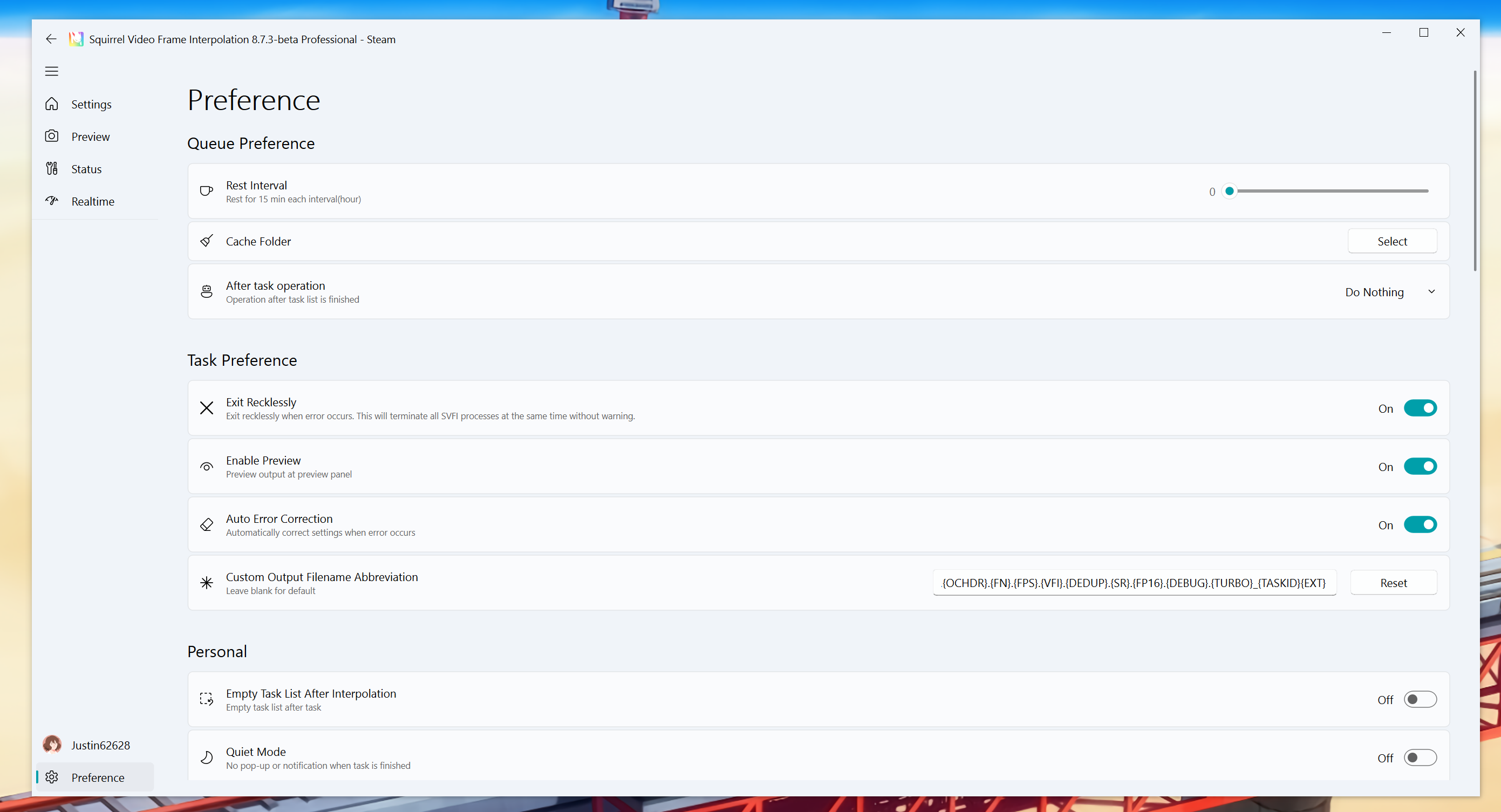
Rest Interval
Let the device rest for 15 minutes every X hours (temporarily pause the task)
Cache Folder
Specify the task folder to another location. The final output video will still be in the target folder
After task operation
You can choose some automatic operations after the frame interpolation is completed
Exit Recklessly
Default is enabled, the software forcibly ends the software process when an error occurs, avoiding residual processes
Tips
When you need to use the multi-instance or one_line_shot_args pipeline function of SVFI, it is recommended to turn off this option to avoid the instance being forcibly exited due to the forced exit of the software after it ends.
Enable Preview
Show the preview window while a task is running
Auto Error Correction
Automatically modify settings to prevent task errors
Tips
Turning off automatic error correction can improve task initialization speed. It is recommended to turn off this option when processing queue tasks with stable settings.
In particular, if the encoding option or frame interpolation option setting value has an "AUTO" option, then even if this option is turned off, automatic error correction will still run.
It is recommended to set all option values to non-AUTO values to completely turn off automatic error correction.
Custom Output Filename Abbreviation
You can customize the output file name. The default value is {INPUT}-{RENDER}.{16BIT}.{DI}.{DN}.{FG}.{DB}.{DP}.{OCHDR}.{FN}.{FPS}.{VFI}.{DEDUP}.{SR}.{FP16}.{DEBUG}_{TASKID}{EXT}. The meanings of each abbreviation are as follows:
| Abbreviation | Meaning |
|---|---|
| INPUT | Input file name |
| RENDER | Enable only encoding mode |
| 16BIT | Whether to enable high-precision mode |
| DI | Whether to enable de-interlacing |
| DN | Whether to enable noise reduction |
| FG | Whether to enable fast noise addition |
| DB | Whether to enable debanding |
| DP | Whether to enable lens stabilization |
| OCHDR | Whether to enable one-click HDR |
| FN | Whether to enable FMNet HDR |
| FPS | Output frame rate |
| VFI | VFI model used |
| DEDUP | Duplicate frame deduplication mode |
| SR | Super-resolution model used |
| FP16 | Whether to enable half precision |
| DEBUG | Debug mode |
| TASKID | Task ID |
| EXT | Output file extension |
Tips
At least one item in the abbreviation must be included, otherwise the output file name will be invalid.
Empty Task List After Interpolation
Clear the input queue after all tasks in the list are completed
Quiet Mode
Do not pop up windows and notifications
Windows on top
Keep the window on top to avoid possible Windows scheduling performance loss.
Background Image
You can select pictures to enable custom backgrounds
Background blur radius
The larger the value, the more blurred the background
Background opacity
The larger the value, the higher the background brightness
Classic Advanced Settings Layout
Use classic vertical advanced settings layout from SVFI 3.x
Application Theme
Change the theme of the application
Theme Color
Change the theme color of the application
Language
Set the preferred language for the user interface
Add White List
Click the button to add the installation folder to the Windows Defender whitelist. This operation is ineffective for other anti-virus software.
Check Installation Integrity
Click the button to check the file integrity through Steam at the next startup. It may be possible to fix some problems where the software cannot run normally due to software updates or incorrect settings.
Use CPU Only
Perform AI tasks only using the CPU. Only applicable to devices without graphics cards.
Use All GPUs
Use all available GPUs for AI reasoning acceleration.
Warning
If the device has only one graphics card, please be sure to turn off this option.
Help
Learn about new features and useful tips of SVFI (shortcut operations, shortcut keys, etc.)
Global advanced settings
Provide Feedback
Provide feedback to help us improve SVFI
Privacy Agreement
Click the button to determine whether to send non-private diagnostic data to help us improve the software.
About
Software copyright and logs