
Toolbox settings
The toolbox is the wrench page in Advanced settings. It covers leftover-process cleanup, video-to-GIF, concatenating chunks, audio muxing, plus remote SR and streaming.
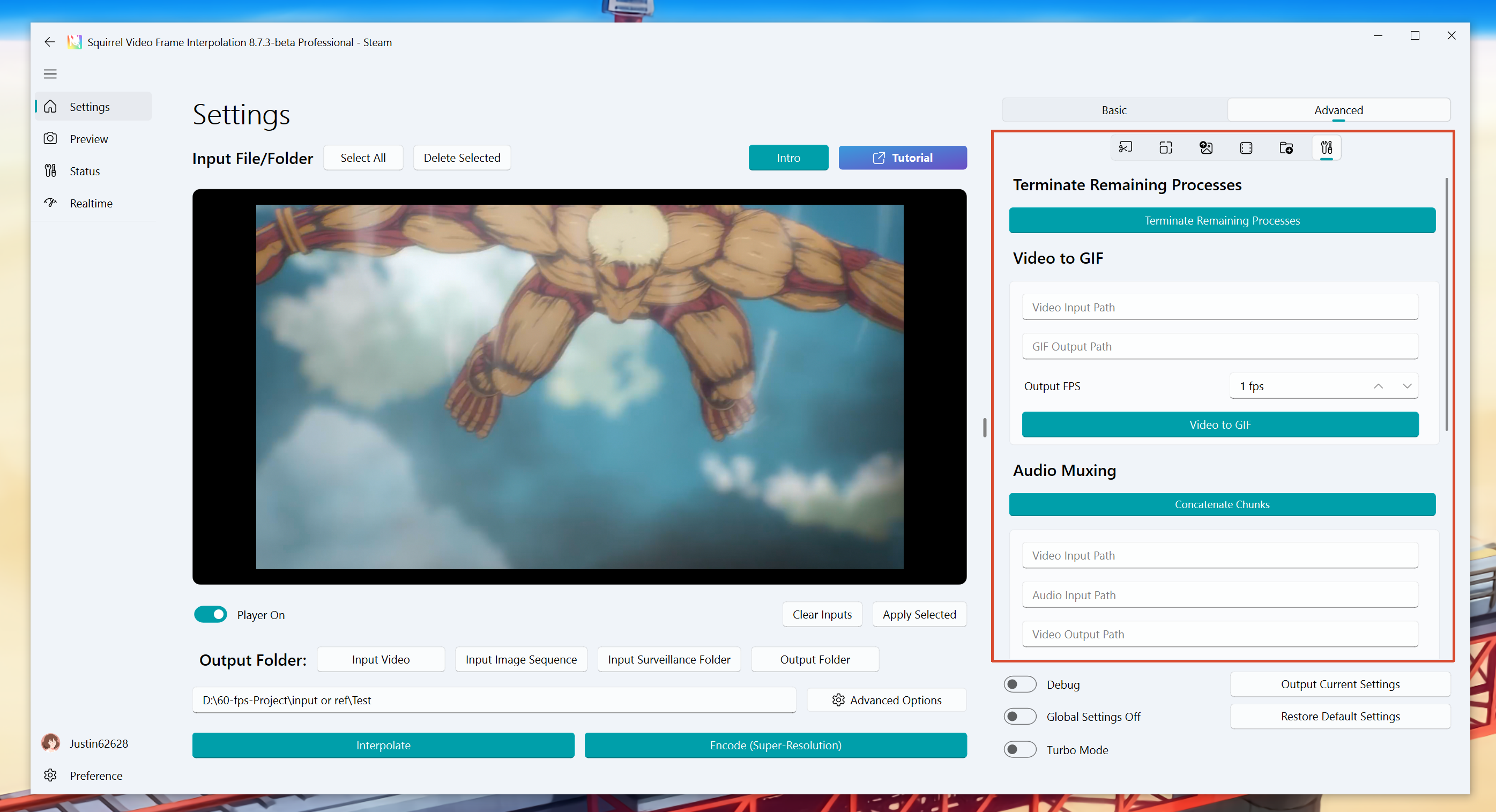
Terminate Remaining Processes
Will end all tasks, including tasks that are opened by other SVFI instances.
Tips
If you need to avoid terminating tasks that are started by other SVFI instances, you need to manually end all SVFI CLI processes under the current SVFI process in the task manager. When enabling multi-threading, it is always recommended not to click the Terminate button manually.
Video to GIF
Generate high-quality GIF animations
Usage example:
Input video path:
E:\VIDEO\video.mp4Output animation (gif) path:
E:\GIF\video_gif_output.gifOutput frame rate: 30 fps
Tips
The output frame rate generally needs to be less than or equal to the frame rate of the original video; it is not recommended to be higher than 30.
Paths must be full absolute paths.
Concatenate Chunks
Merge scattered chunk fragments.
Tips
If the task fails during the final merge, you can directly select the task item and click this button to complete the merge operation after adjusting the settings.
Audio Muxing
Fill in the complete path of the video (Example
D:\01\myvideo.mp4)Fill in the audio path of the video (Example
D:\01\myvideo.aac), or use a video to input audio (ExampleD:\01\otherVideo.mp4)Output video path (Example
D:\01\output.mp4)Secondary encoding audio: Compress the audio to aac format, 640kbps
Remote task port service and streaming
Both sit on the right of the Advanced toolbox page (red box below).
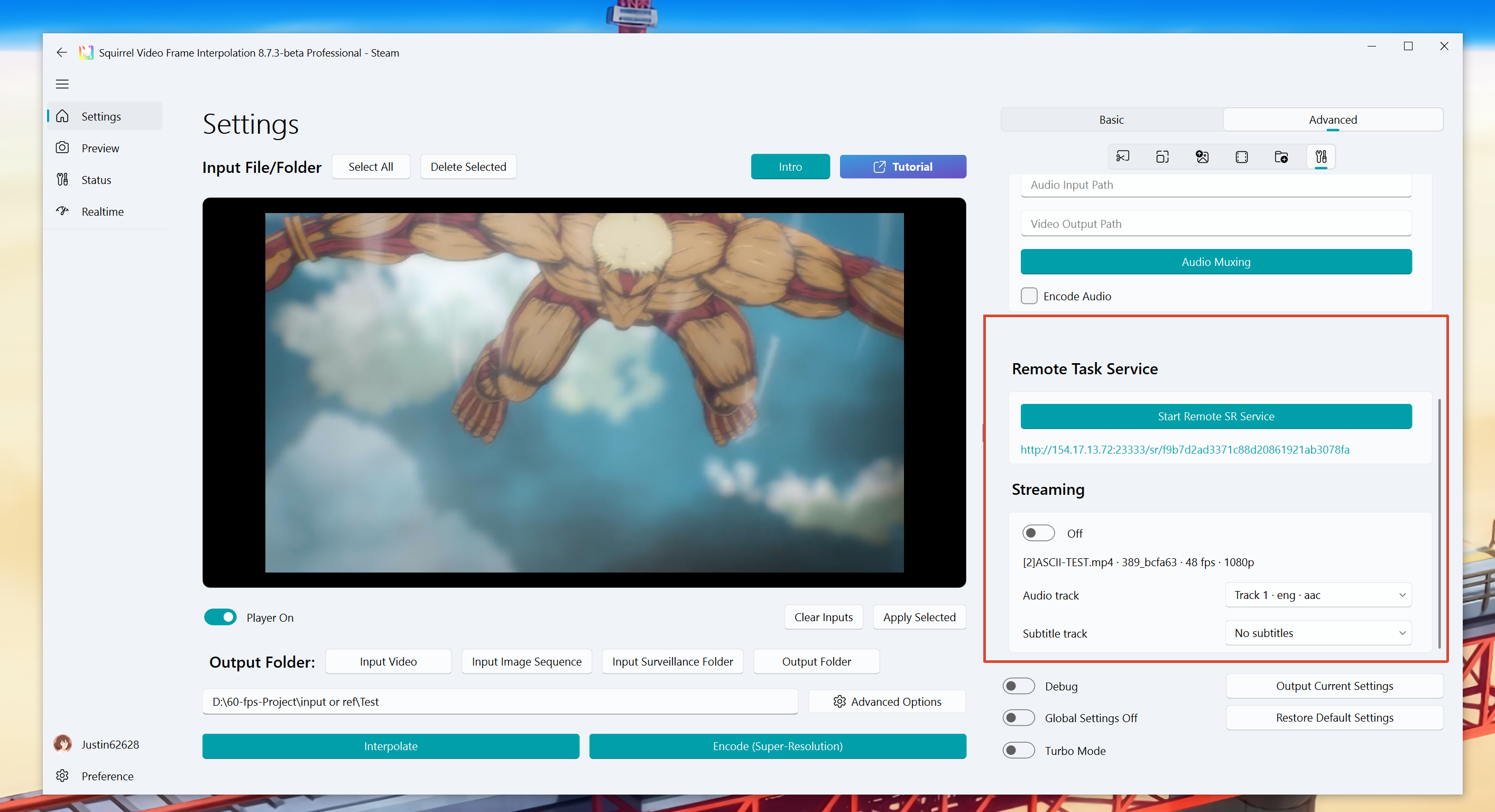
Remote task port service
Click Start Remote SR Service to get a web link that can control SVFI on this machine from another device.
Currently only image super-resolution is supported over the remote UI.
Typical use case: upload a photo from your phone, pick a model, and run super-resolution.
Warning
Do not share this link publicly.
Streaming
Start a local HLS stream of the selected task so you can watch the output (in-progress chunks or a finished file) in a player or browser on this machine or another device.
- Select the task in the input list.
- Turn Enable Streaming on.
- Pick an audio track and subtitle track if needed.
- When ready, a stream URL appears; open it in an HLS-capable player.
Turn streaming off before you remove or replace that task.