
Real-time window models
This page covers Scaling Mode and frame-generation algorithms on the Realtime sidebar page. UI steps are in Real-time window scaling.
Some neural paths (ONNX SR, RIFE) need the Professional DLC. The first TensorRT engine compile can take a while.
Tips
OEM models (DLSS / DLSS-NR, XeSS, FSR3 / FSR4, RTX Video, and frame-generation DLSSFG / XeSSFG) require the Professional DLC and are only available on the public beta branch. In Steam, open the app properties → Betas and opt in. These paths also need the matching vendor runtimes on the machine.
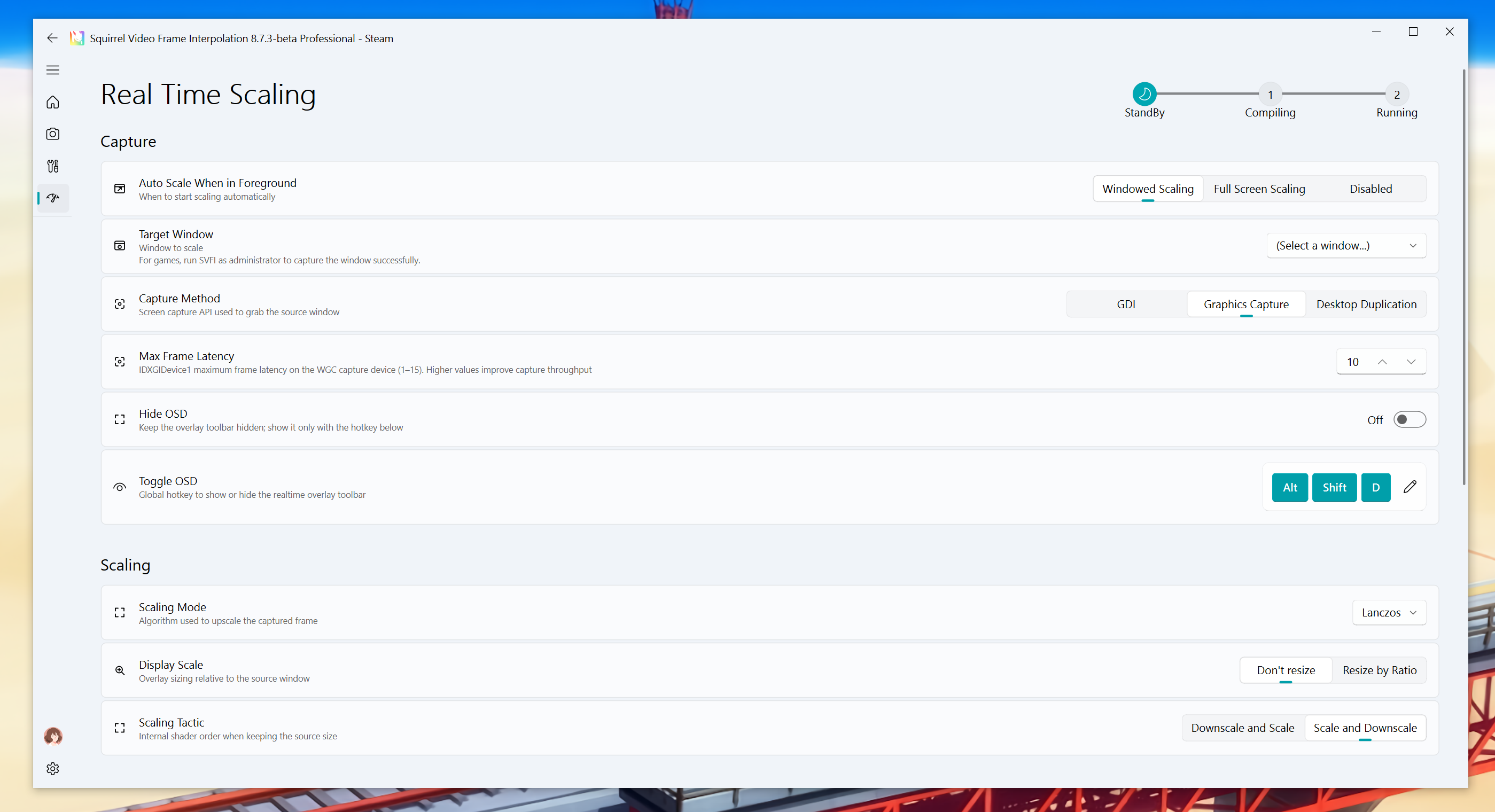
Scaling modes
| Mode | Notes |
|---|---|
| None | Capture only, no upscale |
| Lanczos | Lightweight classic upscale; default and most compatible |
| FSR | AMD FidelityFX Super Resolution–style spatial upscale |
| FSRCNNX | FSRCNN-based realtime SR shader |
| CuNNy | Lightweight convolutional SR shader |
| CustomChain | Shader chains from effects/CustomChain/*.json |
| ONNX | Professional DLC; weights in models/sr/TensorRT/models; DirectML or TensorRT |
| DLSSNR | NVIDIA DLSS Neural Renderer (1× restore / denoise; needs the DLSS-NR runtime) |
| DLSS | NVIDIA DLSS super resolution |
| XeSS | Intel XeSS super resolution |
| FSR3 / FSR4 | AMD FSR 3/4 upscale paths |
| RTXVideo | NVIDIA RTX Video Super Resolution / Denoise |
ONNX models follow the same TensorRT/ONNX rules as offline SR. See the TensorRT and custom-model sections in Super-resolution models.
CustomChain can load extra shaders from the effects folder; list order is the filter order.
RTX Video
- RTX Video Effect:
VSR(upscale) orDenoise(same-resolution denoise) - RTX Video Quality: Low / Medium / High / Ultra
DLSS / DLSS-NR
- DLSS SR Preset: NGX preset. J is the legacy default; K is Balanced.
- You can run DLSS SR after DLSS-NR, or the reverse, in the native chain.
- DLSS-NR also exposes style (Default / Natural / Cinematic), intensity, local tone/structure, skin structure, automatic mask, UI correction, and Detail Control (input resolution percent plus residual / shadow / glow multipliers). Downscaling the input reduces quality.
Those sliders appear only when the current scaling mode and frame-generation combo needs them.
Frame-generation algorithms
With Enable Frame Generation on:
| Algorithm | Notes |
|---|---|
| ABME | Default realtime VFI path |
| RIFE | Professional DLC; ONNX models from models/vfi/TensorRT/models; DirectML or TensorRT |
| DLSSFG | NVIDIA DLSS Frame Generation |
| XeSSFG | Intel XeSS Frame Generation |
RIFE weights are not the same UI as offline VFI, but they are the same family. Offline models: Frame interpolation models.
FSR3/4 and XeSS frame generation use Shared Frame Guidance (Auto / Zero / Motion only / Depth only). Optical-flow backends: NVOF, AMD OF.
GPU and compatibility
- Pick the GPU under Performance; prefer a dedicated card.
- DLSS / RTX Video / NVOF target NVIDIA; XeSS targets Intel; FSR is more generic but still needs the runtime.
- On AMD GPUs or iGPUs, DirectML or classic shaders (Lanczos / FSR / CustomChain) are the safer path.
- If the overlay flickers, try Disable DirectFlip.